

Profile links
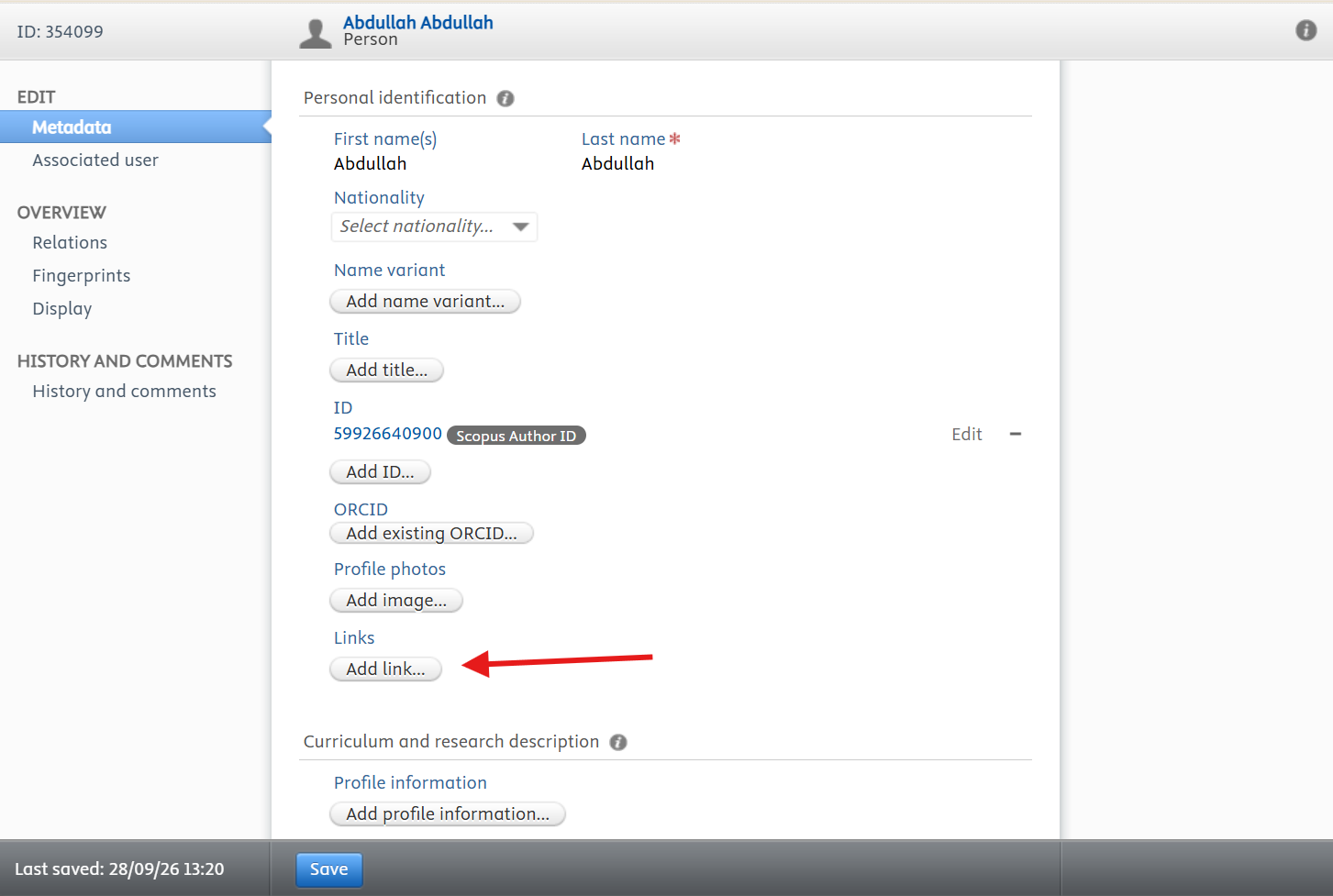
You can link your Google Scholar profile and other professional or social media profiles, such as LinkedIn, so that visitors can follow your work across the services you already use.
- Google Scholar, ResearchGate, and LinkedIn — add these as profile links.
- Personal or laboratory website — useful where your group publishes its own material.
- Add the full web address and a short description for each link.
- Check that each link opens correctly from your public profile.
- 1Open the profile editor and scroll to Links under Personal identification.
- 2Click Add link…
- 3Select the Link type from the drop-down menu, for example LinkedIn.
- 4Enter the web address of the profile or website.
- 5Click Create, then Save at the bottom of the page.
Adding a link, step by step:
- 1Open Edit profile and find the Links section.
- 2Add the full web address and a short description for each link.
- 3Save and check that each link opens correctly from your public profile.
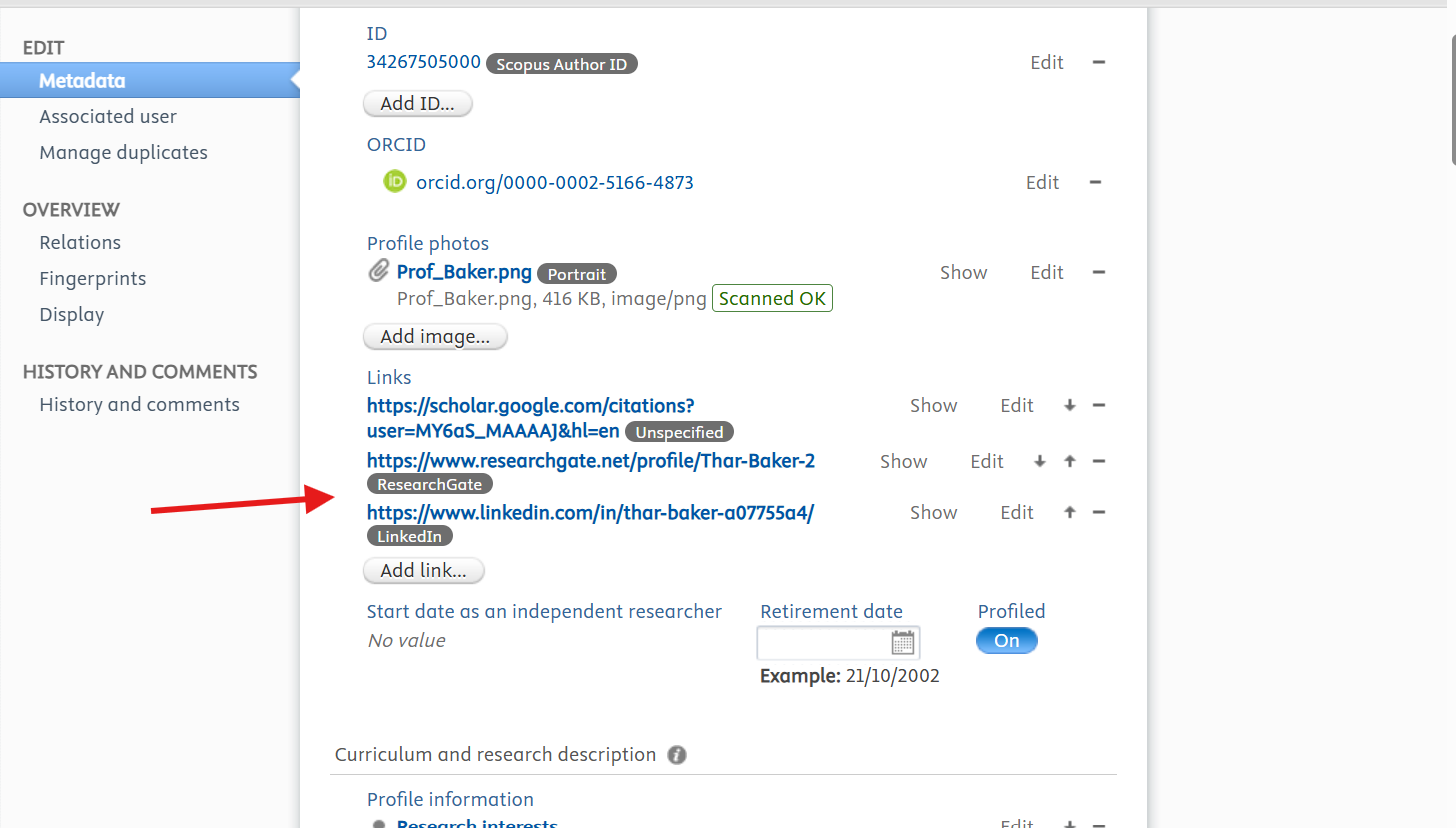
Before you leave the editor, click Save at the bottom of the page. Changes are only stored when you save, and anything you entered is lost if you navigate away first.