

Titles, academic degrees and qualifications
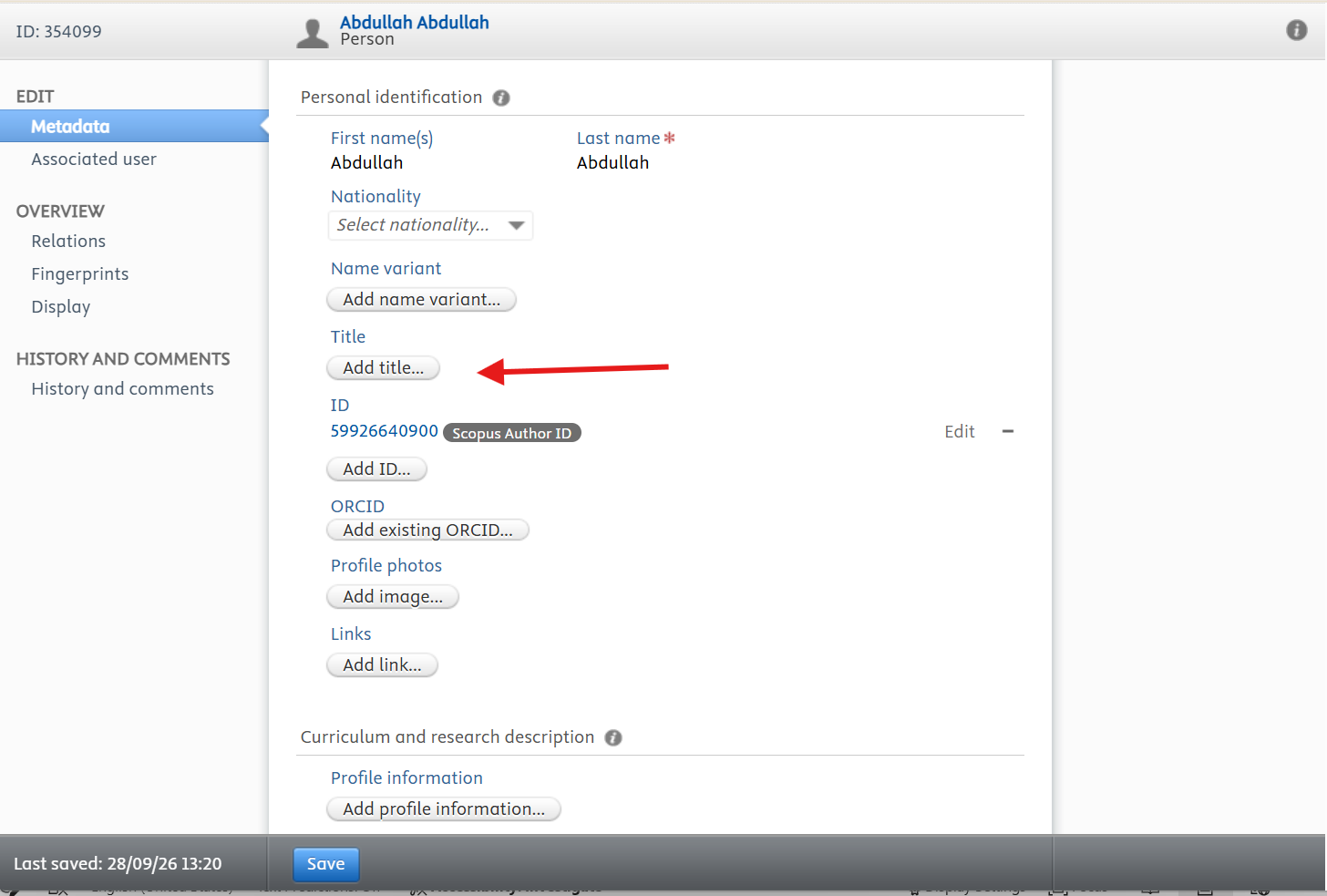
Your position and college come from the University records. Additional titles, academic degrees, qualifications, and positions you hold outside UKF are added by you in the profile editor.
- 1Open the profile editor.
- 2Under Personal identification, click Add title…
- 3Choose the Type, such as Academic degree or Academic title, enter it, and click Create.
- 4Use the arrows on the right of each title to change their order.
- 5Click Save at the bottom of the page.
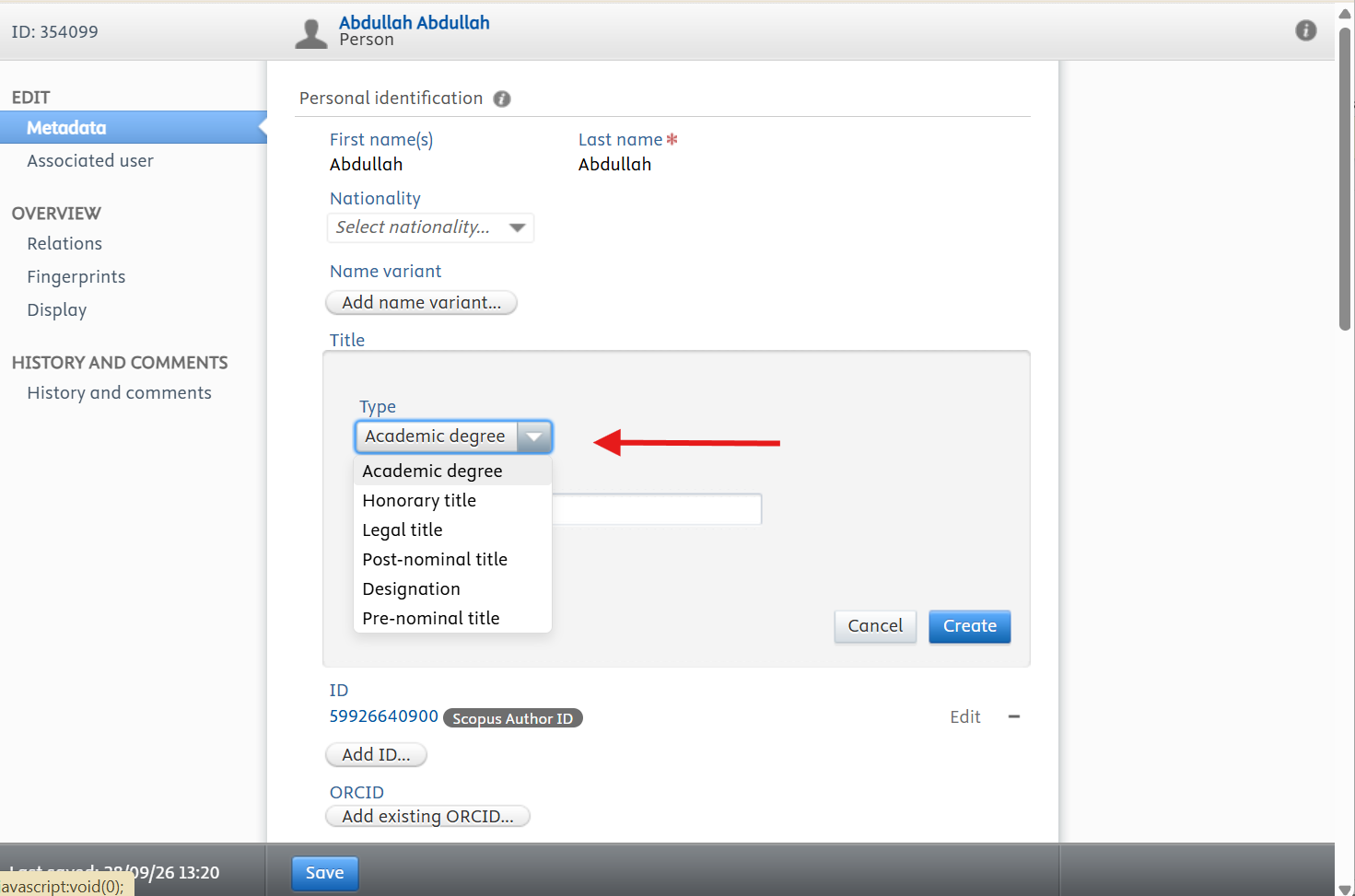
An academic degree is added in the same place as any other title. Under Personal identification, click Add title…, set the Type to Academic degree, enter the degree — PhD, MSc, MBA and so on — and click Create. Additional titles and pronouns are added the same way, each with its own Type.
- 1Open the profile editor.
- 2Under Personal identification, click Add title…
- 3Set the Type to Academic degree.
- 4Enter the degree in the field provided and click Create.
- 5Repeat for any further degrees or titles, then use the arrows on the right to put them in the order you want.
- 6Click Save at the bottom of the page. The degree appears under your name on your public profile.
Qualifications are recorded in the same editor, under Education/Academic qualification. Click Add education/academic qualification…, complete the details, click Create, then Save.
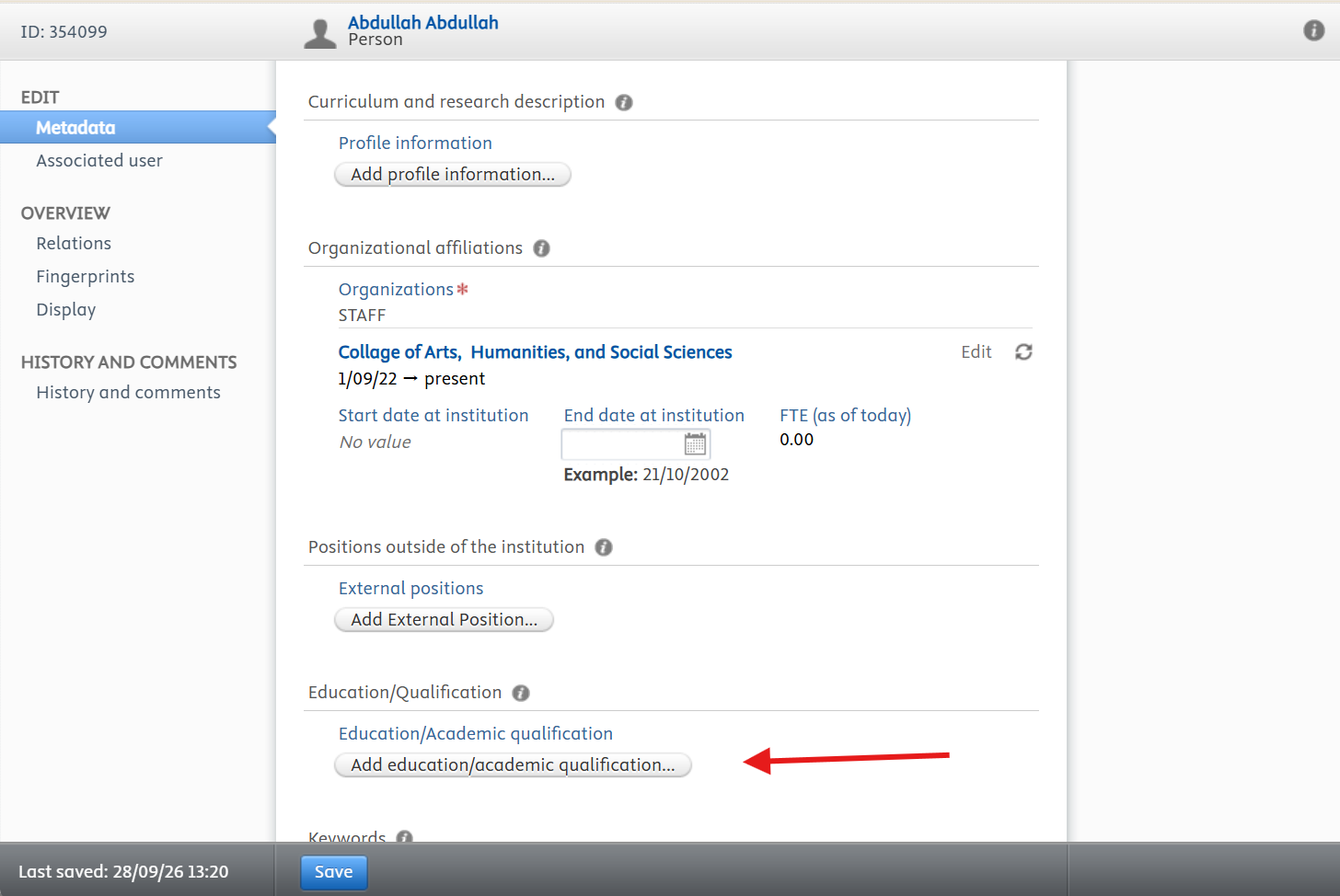
- Add each qualification with the award, the awarding institution, and the year.
- List qualifications from the most recent backwards.
- Email the Research, Innovation and Development Department if your position or college is shown incorrectly.
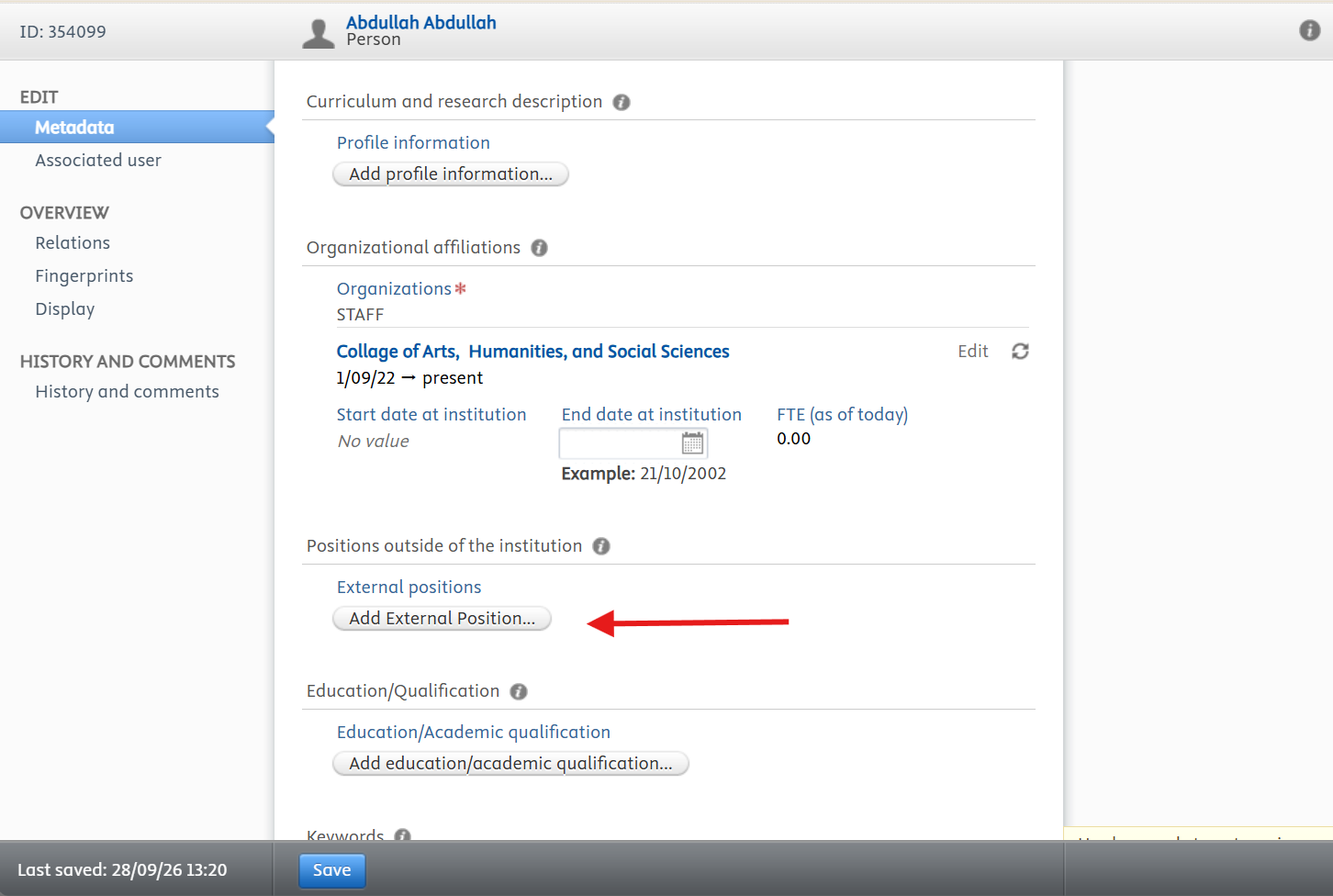
To record an appointment you hold at another institution, scroll to Positions outside of the institution and click Add External Position…, then complete the details, click Create, and Save.
Before you leave the editor, click Save at the bottom of the page. Changes are only stored when you save, and anything you entered is lost if you navigate away first.