

Research expertise and keywords
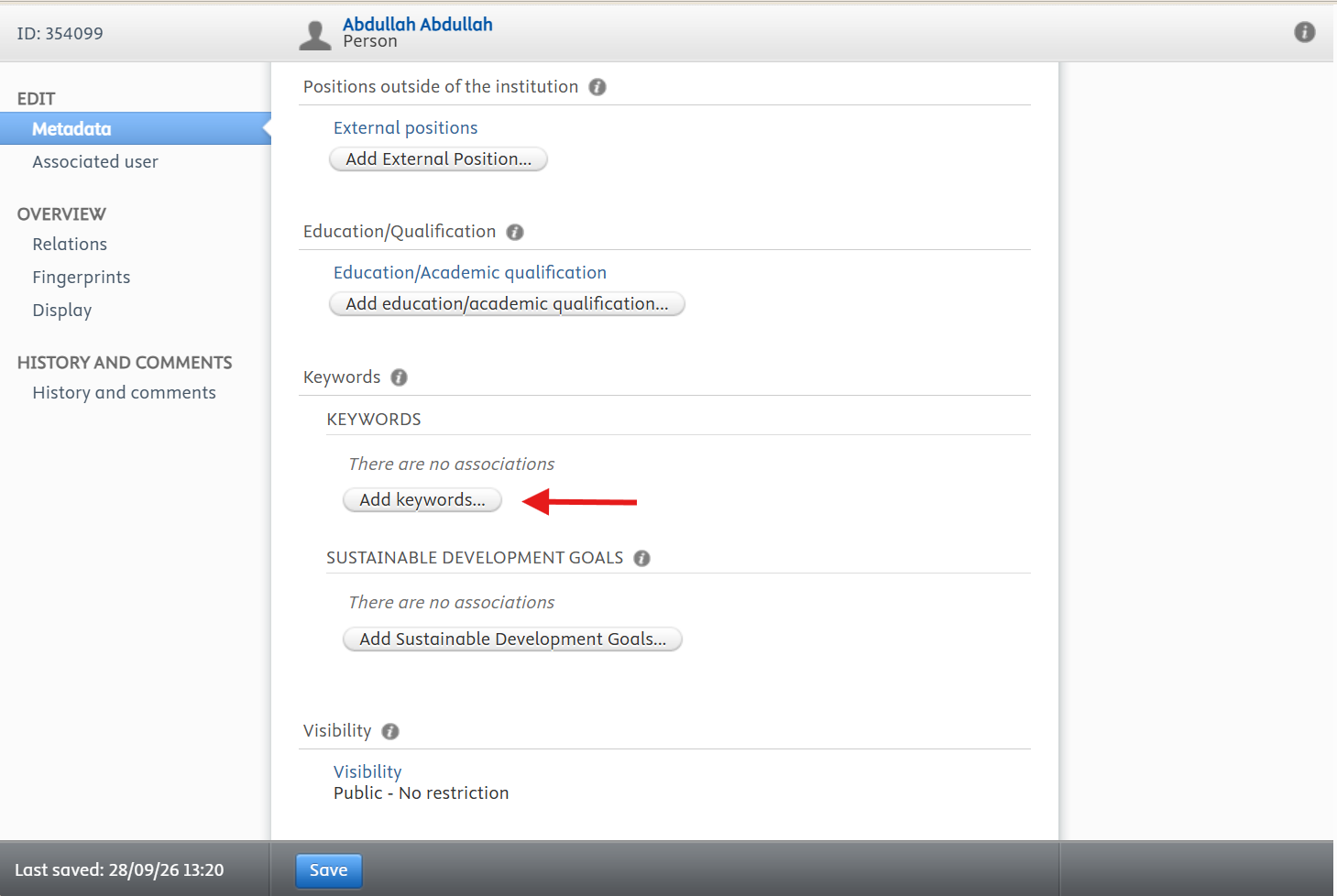
Keywords describe your expertise. They are used by the portal search and help visitors from industry and government find someone who works on the topic they need.
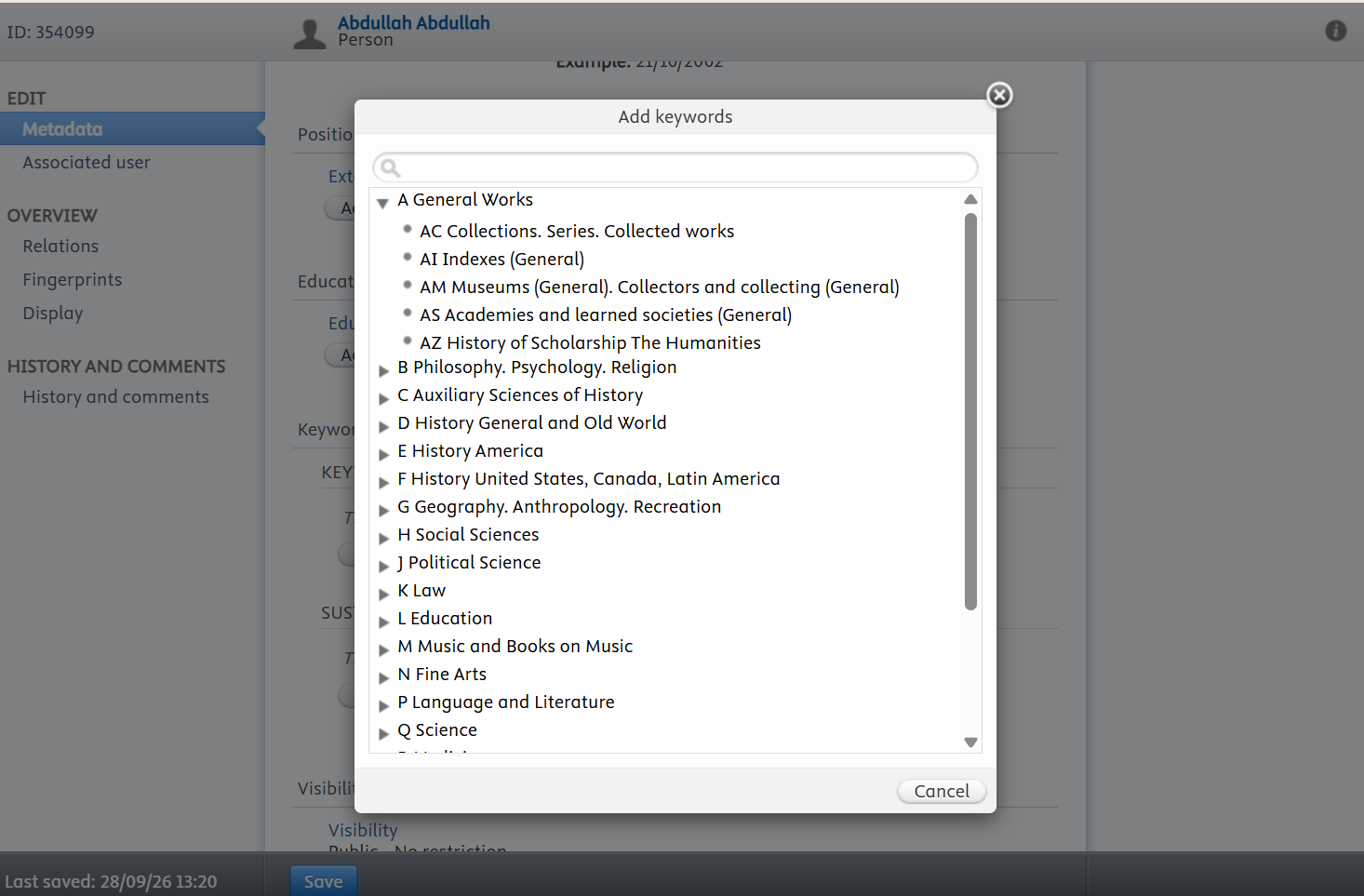
- 1Open the profile editor and scroll down to Keywords.
- 2Click Add keywords… and select the keywords that best describe your research.
- 3Confirm your selection, then click Save at the bottom of the page.
- 4If the industry keywords do not fit your work, add Research expertise keywords instead.
- 5Include the plain-language terms a non-specialist would search for.
- 6Add the terms that describe your research, one concept at a time.
- 7Save and review how the terms read together on your profile.
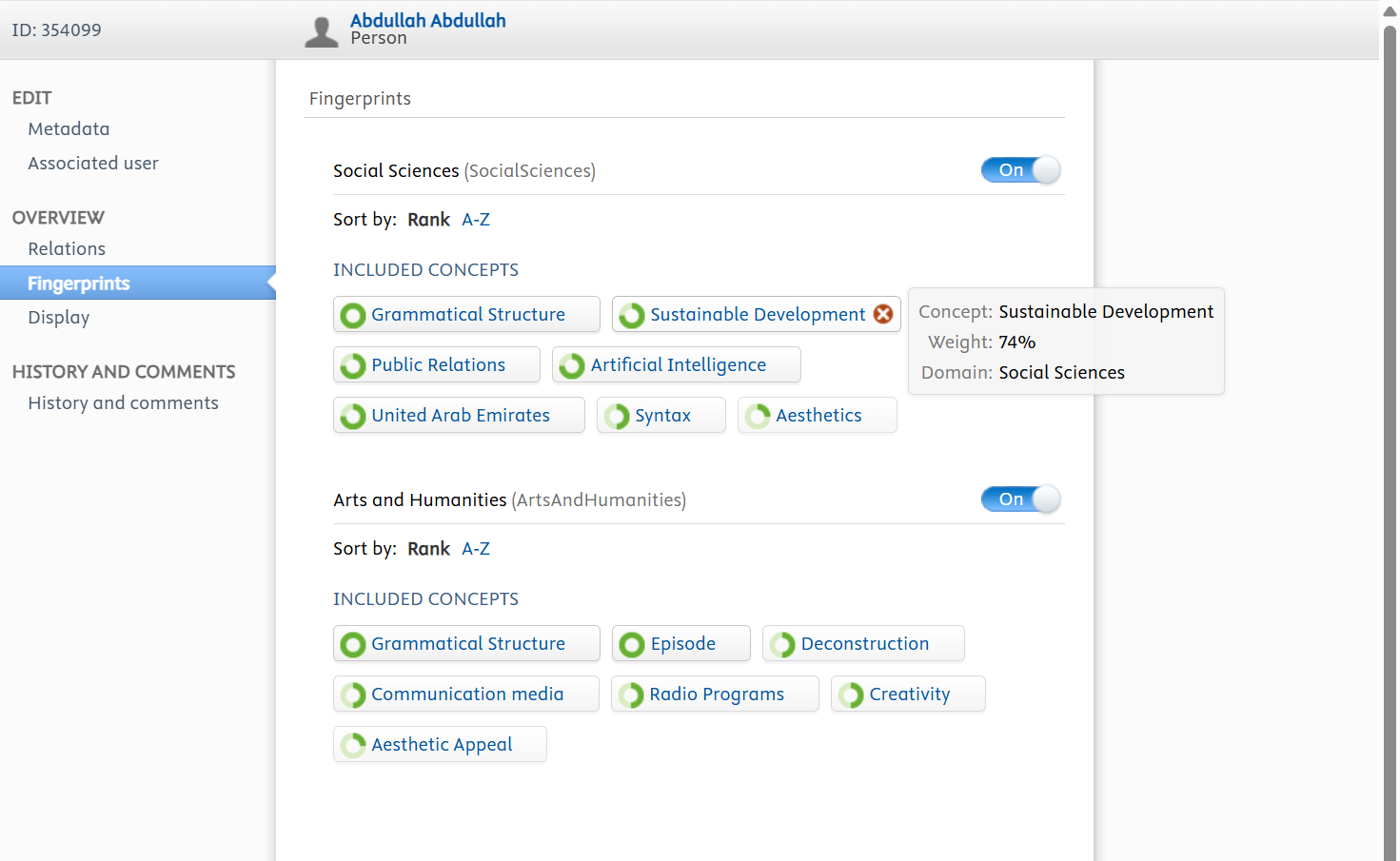
Fingerprint terms are generated automatically from the titles and abstracts of your publications, the titles and descriptions of your prizes, and your research interests. They appear on your public profile under the Fingerprint tab.
- 1Open the profile editor and select Fingerprints from the menu on the left.
- 2Hover over a term you want to remove and click the red x icon.
- 3To switch a Fingerprint off completely, use the on/off toggle beside it.
Before you leave the editor, click Save at the bottom of the page. Changes are only stored when you save, and anything you entered is lost if you navigate away first.