

View a project budget breakdown
Open a project record to see how its budget is allocated, what has been spent or committed, and what remains for each budget line.
- 1From Award management → Projects → My projects, click the title of the project you want to review.
- 2Scroll to Budget & expenditure (Financial overview) in the project record.
- 3Use the Summary, Calendar year, Academic year, Fiscal year, or Month tabs to choose how the figures are grouped.
- 4Review the Budget breakdown table. Each row represents a budget line, such as Professional Services, Library, Consumables, or Software License Renewal. The Total row summarises the project figures.
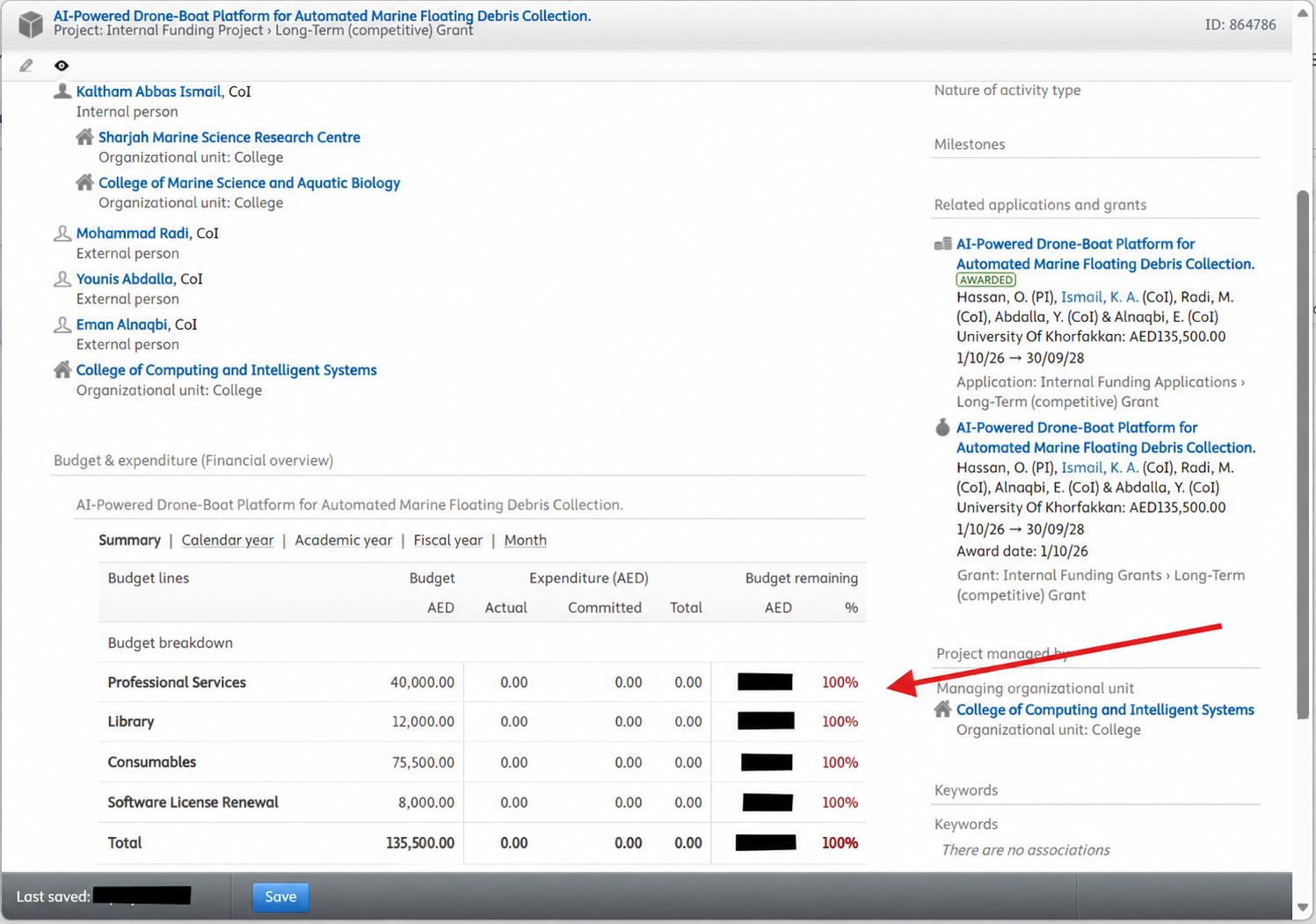
- Budget: the amount allocated to each budget line.
- Expenditure: Actual, Committed, and Total amounts recorded against that line.
- Budget remaining: the balance shown for each line and for the project overall.
Financial data is maintained by the research department as part of the project record. If a figure appears incorrect, contact dsri@ukf.ac.ae for clarification rather than editing it yourself.